Comfort settings

Text size
Colours

The program

A four-week path to digital confidence

Four one-hour workshops, one week apart, held right where residents live. Each week builds on the last, and the final week hands the learning over to residents themselves.

Try the settings we set up together in week 1.

Week by week

Week 1

Onboarding & Meet Your Buddy

We start with the device each resident already owns and make it easier to use. Then every resident is paired with a practice partner who lives down the hall.

OutcomeEvery resident leaves with a working, accessible setup and a buddy to practise with.
  • Bigger text, brighter screen and louder sound
  • A simpler home screen with only the apps you use
  • Charging, Wi-Fi and volume basics
  • Meet your buddy and send them your first message
Week 2

Expanding the Circle

Youth volunteers join the room. Each buddy pair sets two or three personal goals, and residents join a safe chat group just for their building.

OutcomePersonal goals on paper and a residents-only group chat that keeps people talking between sessions.
  • Set goals, such as a video call with a grandchild
  • Make and answer a video call
  • Take, find and share photos
  • Join the residents-only chat group

Week 3

Safe Surfing & Shared Defense

Buddy pairs play a scam-spotting game with realistic Canadian examples and learn the Pause and Check routine. Residents become a shield for each other.

OutcomeResidents can spot common scams and know exactly who to ask before they click, pay or reply.
  • Fake texts, emails, calls and pop-ups
  • The Pause and Check routine
  • Locking your device and keeping passwords private
  • What to do, and who to call, if something went wrong

Week 4

The Digital Social & Handoff

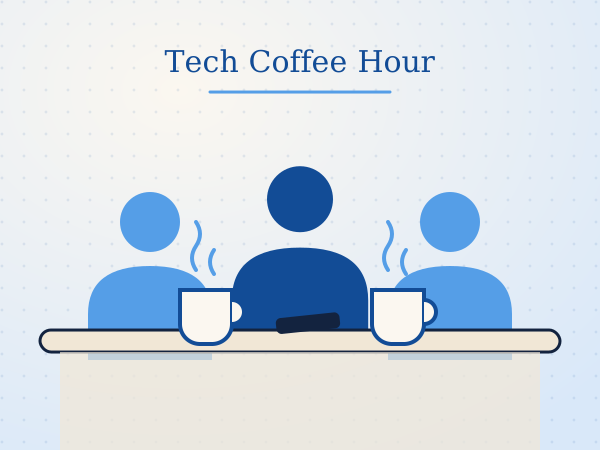
A celebration. Residents show off a new skill, receive certificates, and launch their own weekly Tech Coffee Hour, led by resident champions we met along the way.

OutcomeA weekly, resident-run meetup that keeps the learning going after we leave.
  • Show-and-tell of new skills
  • Certificates for every participant
  • Resident champions named and Coffee Hour time set
  • Anonymous feedback survey

Inside a session

Same shape, every week

Sessions run 60 to 90 minutes depending on the venue, with 7 to 10 volunteers so every two residents have one helper.

Support layers

Nobody learns alone

1. Peer buddies

A fellow resident, paired from day one. Learning next to a neighbour takes the embarrassment out of asking questions and turns practice into a social habit.

2. Youth volunteers

Vetted high school and university students give patient one-on-one help, help pairs set goals, and set up the residents-only group chat. Seniors gain connection; students earn service hours.

3. An AI helper In planning

We're exploring a free, voice-friendly assistant residents could ask between sessions. It will only be introduced if it meets every one of our privacy commitments.

Illustration of residents gathered around a table with coffee and a phone

After week 4

The Tech Coffee Hour

Instead of ending when the month does, the program becomes a weekly social hour that residents run for each other.

  • Resident champions host. We spot natural helpers during the program and support them to lead.
  • Buddies keep practising. Pairs bring questions, show new tricks and help newcomers.
  • Scam questions stay in the room. Concerns are talked through person to person, never logged centrally.
  • We stay in touch. Your staff contact can reach our team whenever extra help is needed.

What residents take home

Four things that last

A device that works for them

Set up for their eyes, ears and habits.

A practice buddy

Someone down the hall to learn with.

A scam routine

Pause, look, check, every time.

A weekly meetup

Tech Coffee Hour, run by residents.

Want this program at your residence?

Tell us a little about your building and we'll be in touch to plan dates.